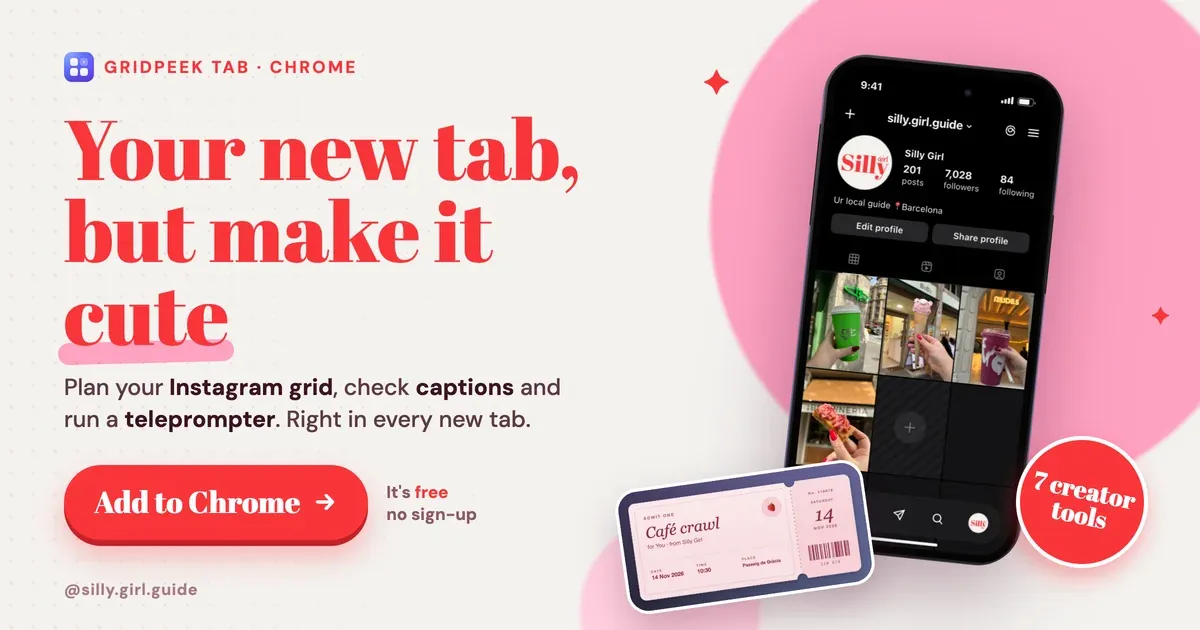
We open about a hundred new tabs a day. Most of them used to be a white Google page and a row of grey shortcuts. Now every new tab is a lavender desk with our Instagram grid, our next caption and today's café plan on it, before we've typed a single thing.
That desk is GridPeek Tab, a free Chrome extension that replaces your new tab page with pages you design yourself. Here's how we set it up, and the creator tools inside it that we use every week.
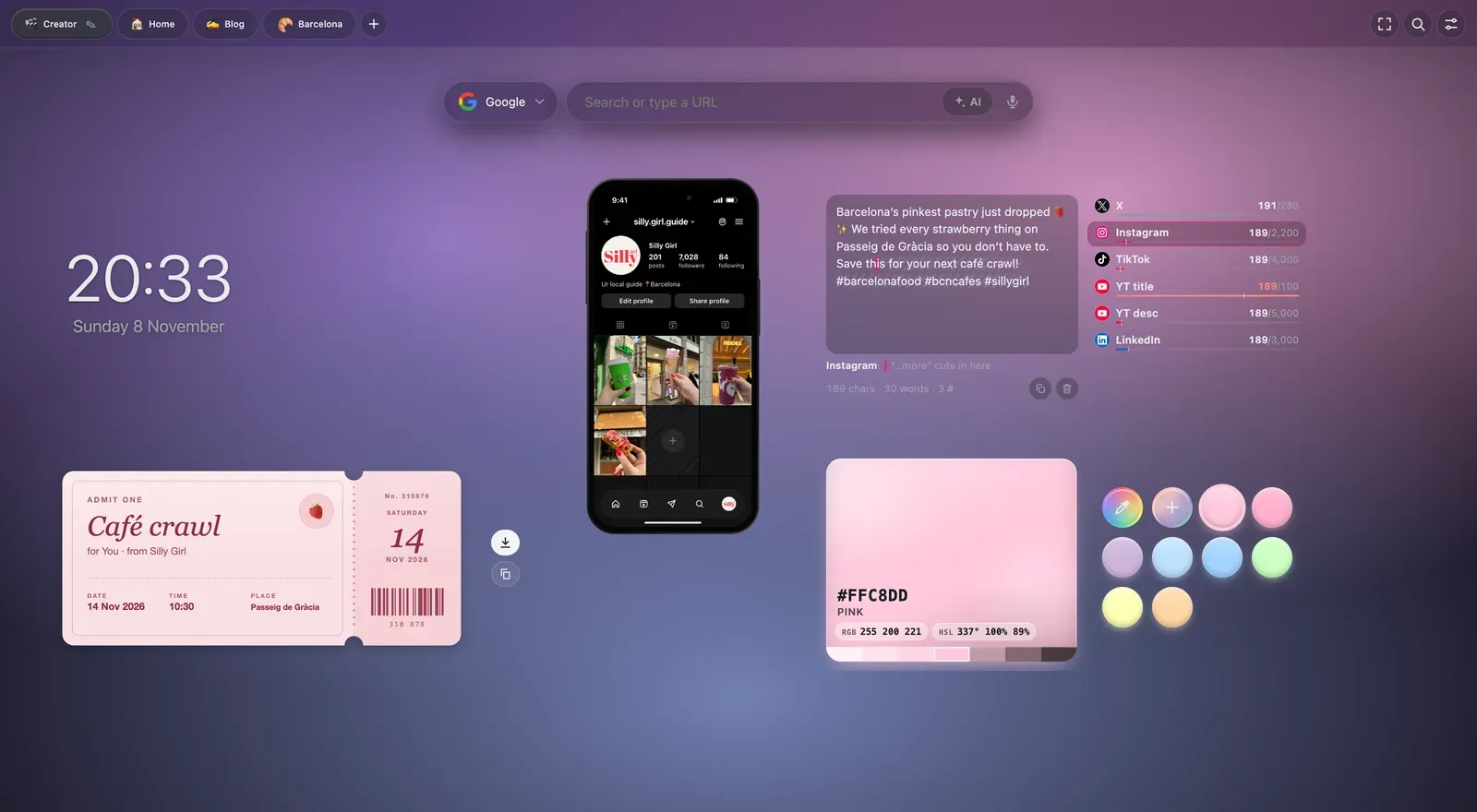
What GridPeek Tab actually is
It's a new tab page made of pages (tabs along the top, like "Creator", "Blog", "Barcelona") and widgets you drop onto them. There are 66 widgets in total, from a simple note to a full Kanban board, plus 19 tools that work on any website you visit.
Three things sold us on it:
- It looks good. Stock backgrounds, live animated backgrounds (fireflies, stars, sakura, rain on glass), and a "no cards" mode so widgets float straight on the background instead of sitting in boxes.
- Canvas mode. You put each widget exactly where you want it, like arranging things on a moodboard, instead of everything snapping into one long list.
- No account, no tracking. Everything is stored in your own browser. No sign-up, no ads, no analytics. For a tool that holds our drafts and plans, that matters.
The creator tools we use every week
GridPeek has a whole "Creator" category. These are the ones that earned a permanent spot on our page.
1. Grid Preview: see your Instagram feed before you post
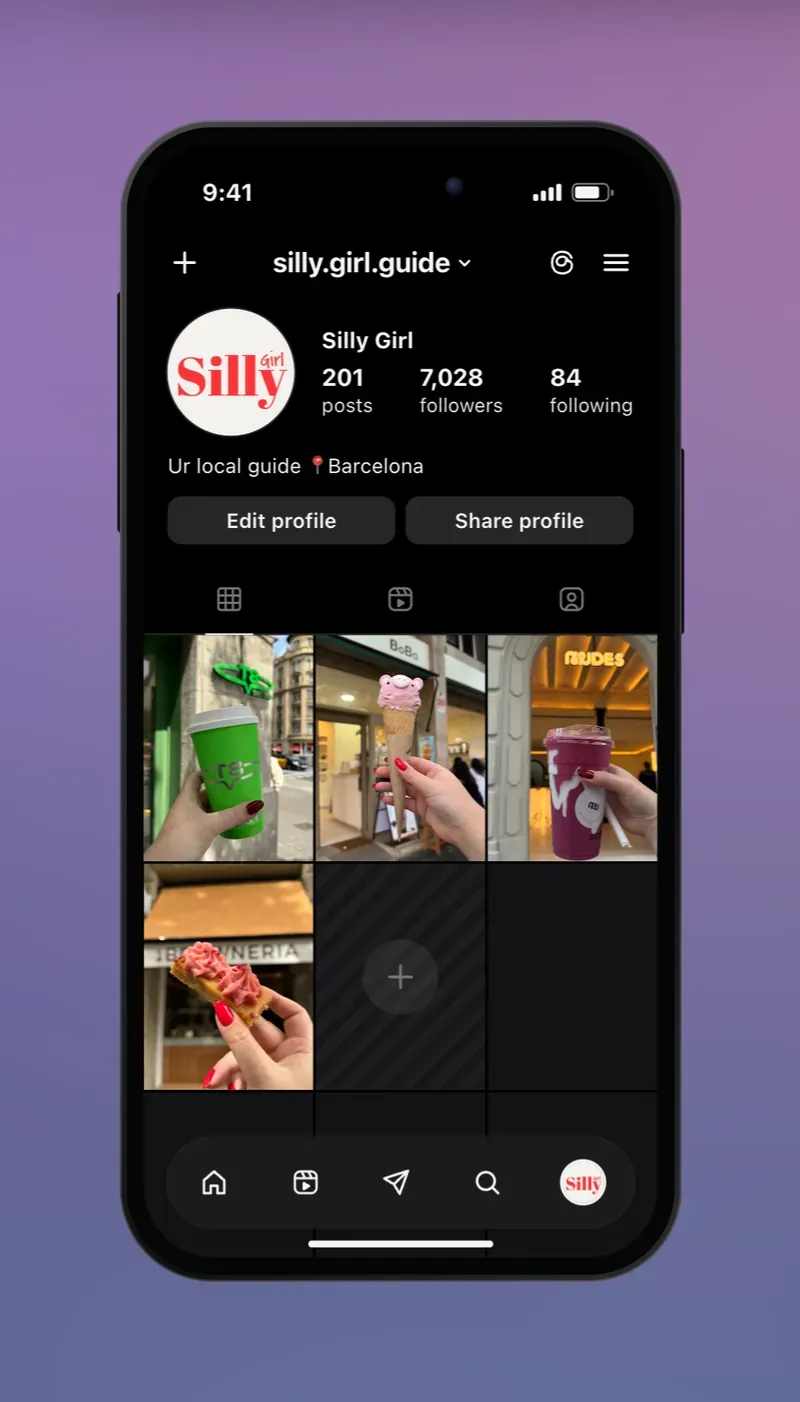
You drop your next posts onto a phone that looks like your Instagram (or TikTok) profile, then drag them around until the grid feels right. We plan a full week of café content this way: the green coffee cup can't sit next to the green matcha, and the pink gelato needs space from the pink pastry.
Most grid planners are separate apps that want your Instagram login. This one sits on your new tab and never touches your account.
2. Caption Check: know where "…more" cuts your caption
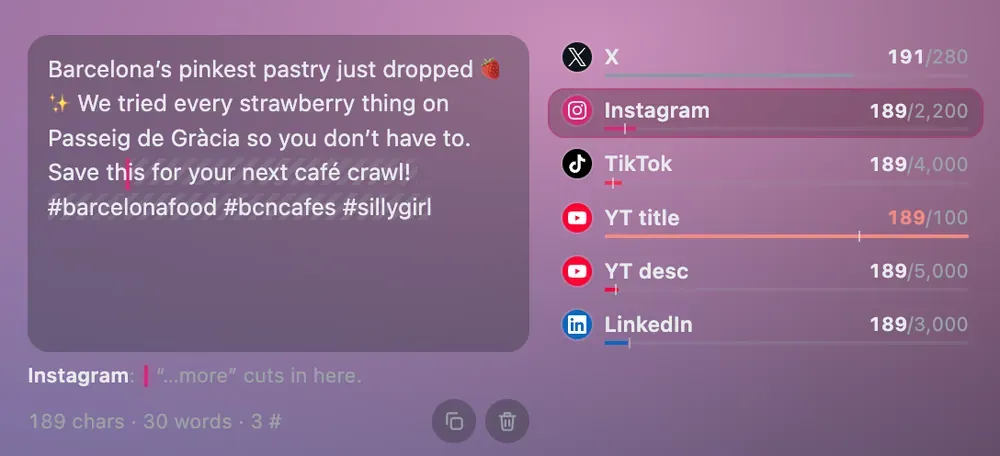
Write a caption once and it shows how it sits on X, Instagram, TikTok, YouTube titles and descriptions, and LinkedIn: the character count for each, the limit, and the exact point where each app hides the rest behind "…more".
That last part is the useful one. On Instagram, your hook has to land before the fold. Caption Check shows you where the fold is, so the strawberry emoji ends up in the hook and not after it. It also flags when a caption is too long for a YouTube title (ours above was, by 89 characters).
3. Teleprompter: read your script without looking away
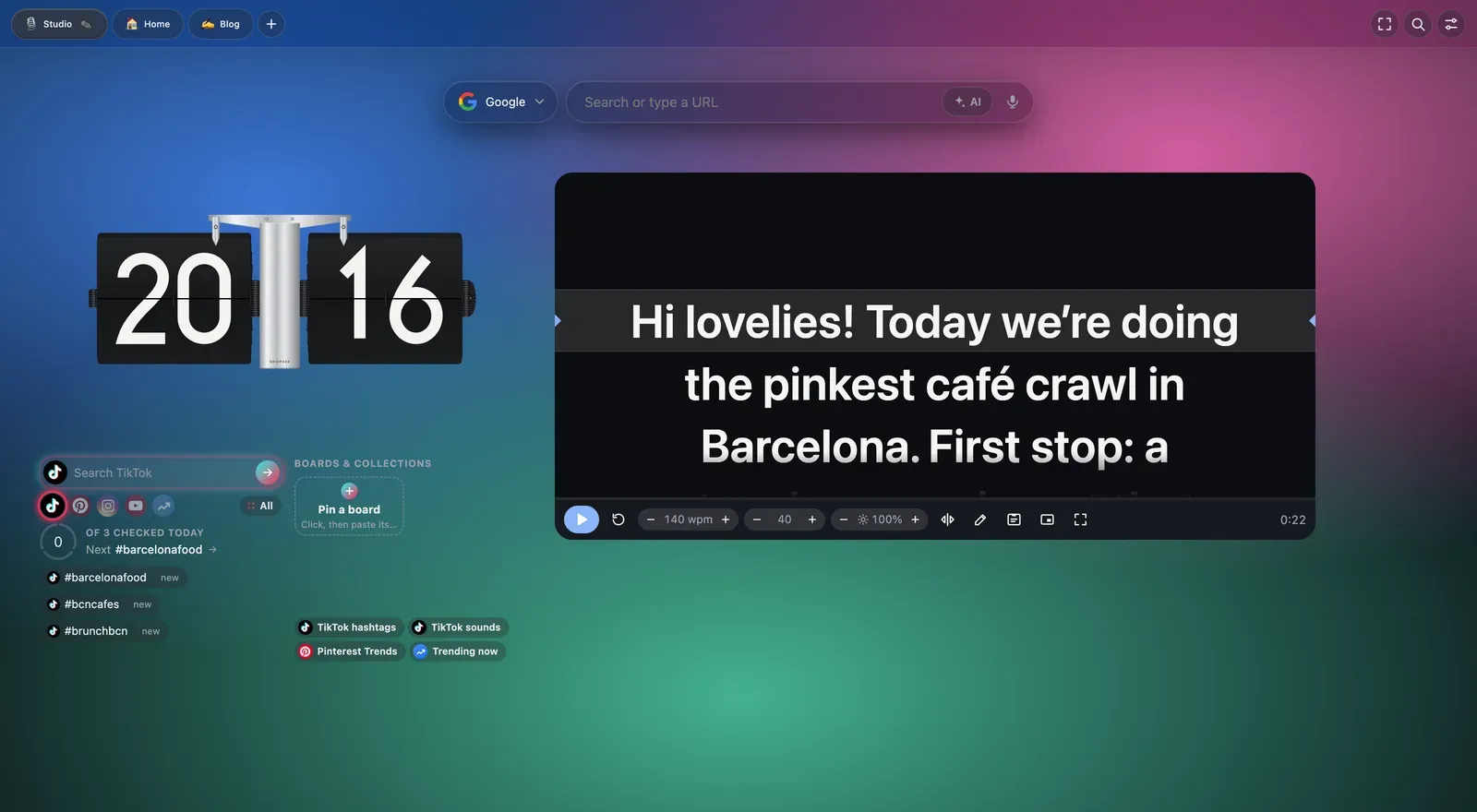
Paste your script and it scrolls past a reading line at a speed you set in words per minute, so you don't rush the intro and then stall in the middle. It can go full screen or float in a small window over your camera app. For talking-head reels, this replaced a paid teleprompter app on our phone.
4. Trend Radar: your hashtag check-in, in one place
In the same screenshot, bottom left: one search box for TikTok, Pinterest, Instagram and YouTube, plus a watchlist of hashtags you check daily (ours: #barcelonafood, #bcncafes, #brunchbcn). It ticks off which ones you've looked at today and links straight to each platform's own trending pages. It doesn't read your accounts; every link just opens the platform's own page.
5. Color Drop: keep your brand colours one click away
A palette of colour "drops" on your page. Click one to copy its hex code, use the eyedropper to grab any colour on your screen (handy for matching a café's pink wall in Canva), or mix your own gradients. Ours is all blush, lilac and pistachio, obviously.
6. Date Ticket: turn a plan into a cute shareable ticket
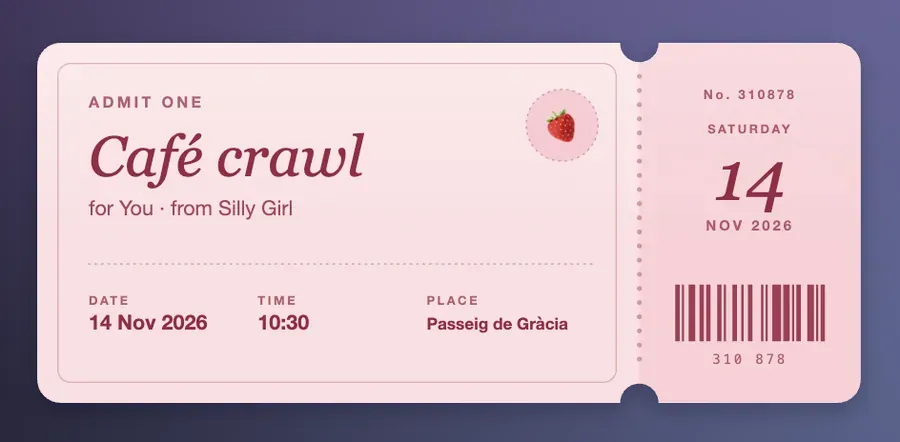
Fill in what, who, when and where, and it becomes a ticket that looks like the real thing. Download it as a PNG or copy it straight into a chat. We use it for collab invites and for Stories: "Café crawl, Saturday 10:30, Passeig de Gràcia" looks a lot better as a ticket than as a text.
7. Convert Wheel: fix image formats without a converter website
Drag a picture onto the wheel and drop it on PNG, JPG or WebP. It downloads straight away. Drop it in the middle to crop or resize first. If you've ever uploaded a .HEIC from your iPhone and had your blog reject it, you'll get why this is on our list. (Every image in this post is WebP for exactly that reason: smaller files, faster page.)
The other tabs: calm, fun and getting things done
We don't keep everything on one page. GridPeek lets you build separate pages, and each one can have its own background.
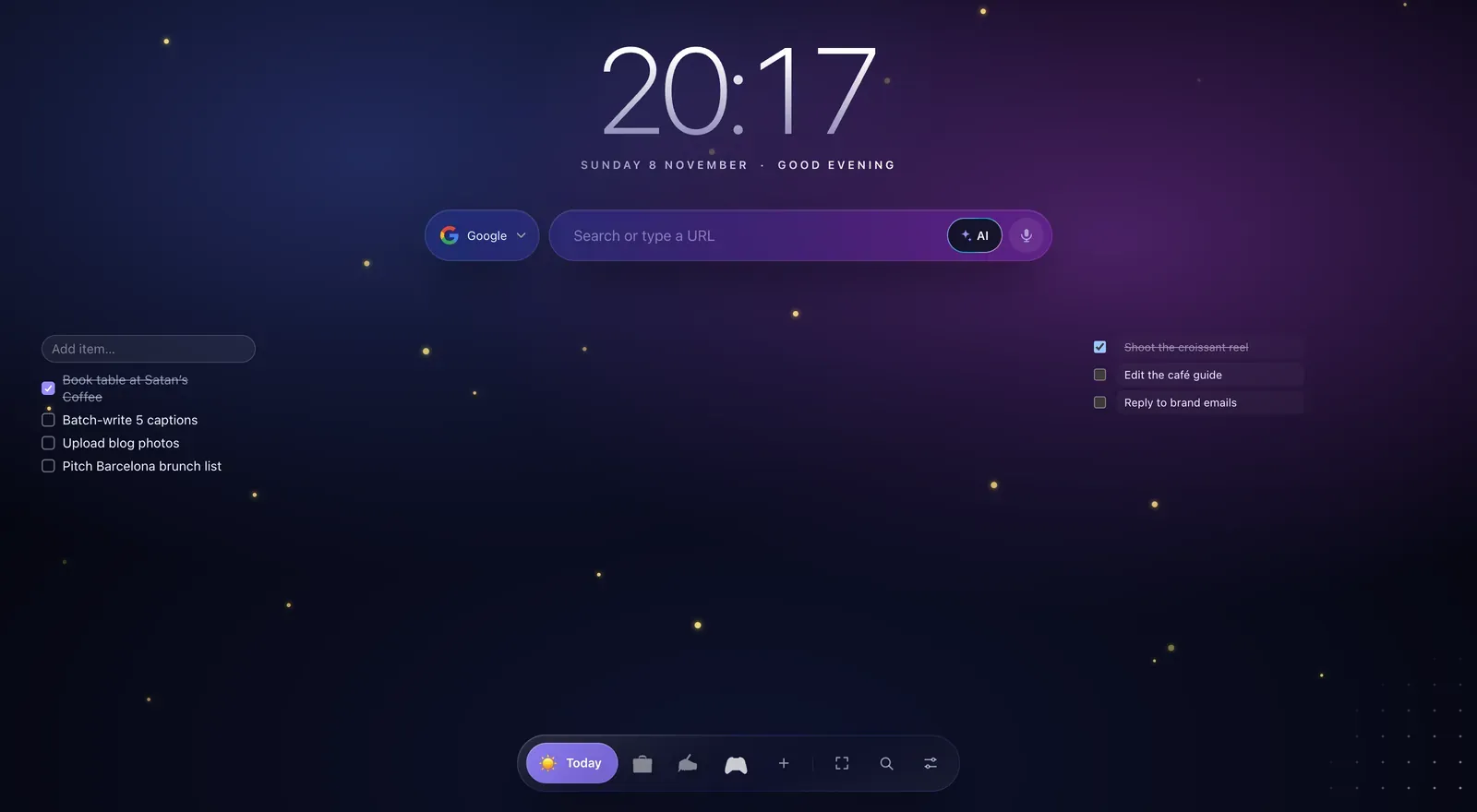
Today: the Aurora look puts a huge clock and greeting above the search bar, with a floating dock at the bottom. We keep a to-do list on one side and Today's Focus (the three things that actually have to happen) on the other.
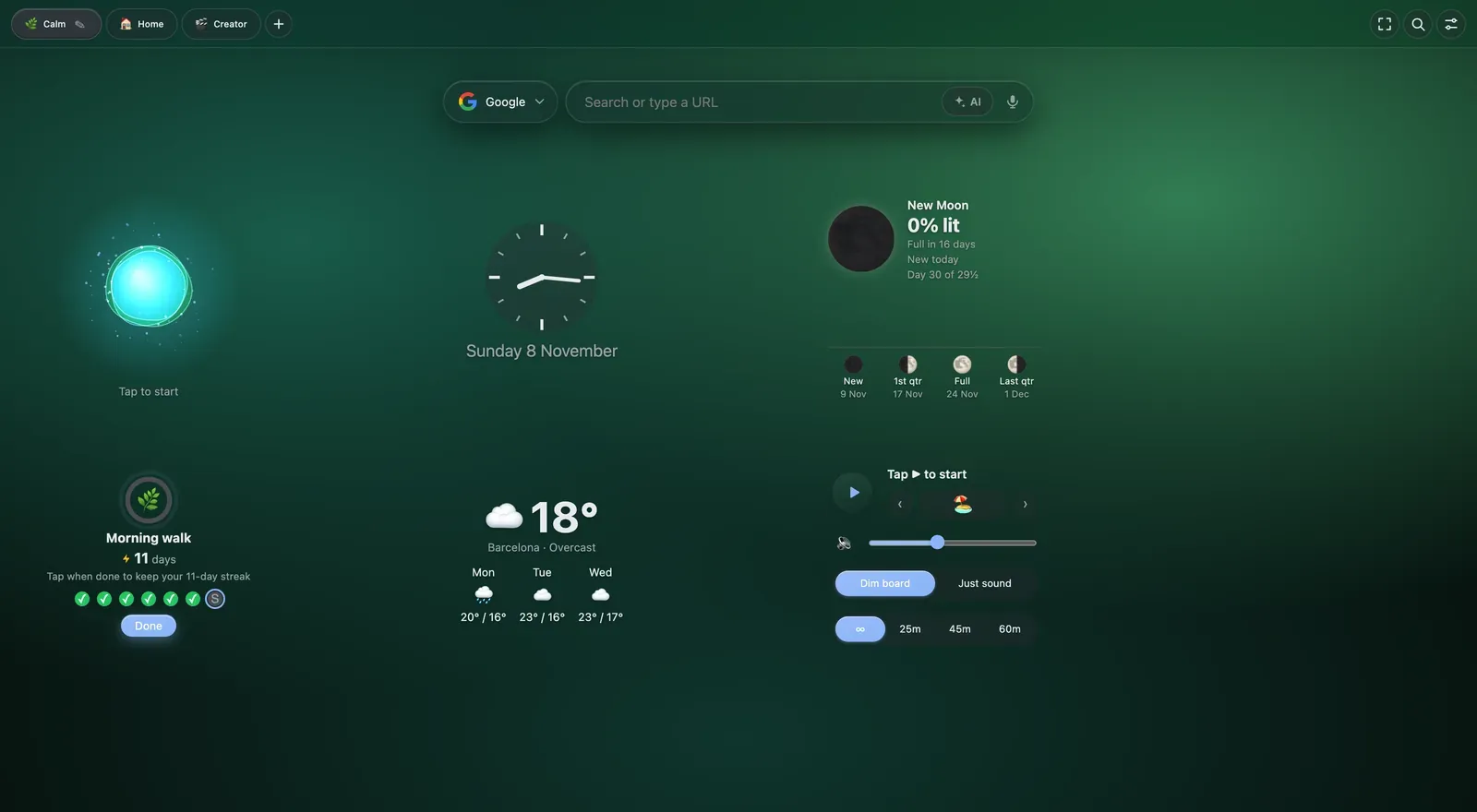
Calm: a breathing guide, the moon phase, Barcelona weather, a habit streak (our "morning walk" is on day 11) and Focus Sound, which plays rain, forest or café sounds for editing sessions.
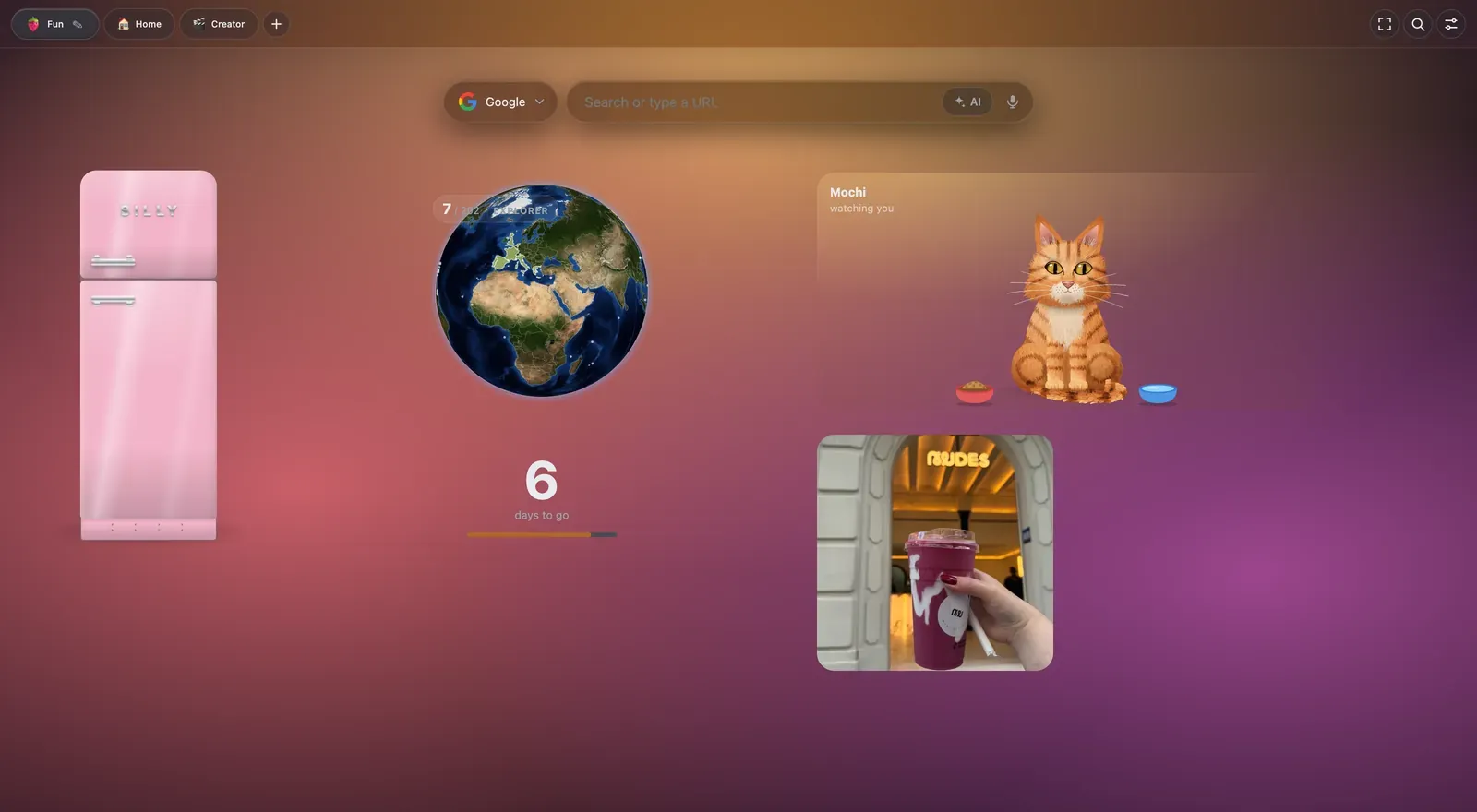
Fun: a pink retro fridge with magnets that hide links inside, a travel globe where you pin the countries you've been to, a cat called Mochi who needs feeding, and a photo frame with our favourite shot of the month. Not productive. Very cute.
Tools that work on every website
Some of GridPeek's tools leave the new tab and work anywhere you browse. The ones creators will like:
- Highlighter: highlight text on any website and it's still there when you come back. Great for research before writing a guide.
- Page Watcher: get a notification when a page changes. We use it for restaurant booking pages and price drops.
- Floating Snippets: your saved text (bio, email signature, media kit link) in any text box.
- Dictation: hold a key and talk instead of typing. Rough first drafts of captions, done.
- Markdown: save any page or selection as Markdown, which drops straight into most blog editors.
- Screen Time: see how long you really spend on each site. (We don't talk about our TikTok number.)
How to set up your own aesthetic new tab in 5 minutes
- Install GridPeek Tab from the Chrome Web Store and open a new tab.
- Follow the short intro tour, or pick a ready-made preset: Home, Work, Study, Play, or Creator (Grid Preview, Caption Check, Color Drop, Convert Wheel, a checklist and the Teleprompter, all set up for you).
- Open the page settings, choose a background, switch the layout to canvas and set cards to none for the clean floating look.
- Drag widgets where you want them. Add a few more pages (we have Creator, Blog and Barcelona).
- Optional: turn on a live background. Fireflies at night is our favourite.
FAQ
Is GridPeek Tab free? Yes. The core extension is free, with no account needed. Some widgets (including most of the Creator tools) are part of GridPeek Pro, which has a free 7-day trial with no card required.
Does it need my Instagram or TikTok login? No. Grid Preview uses pictures you add yourself, and Trend Radar only opens each platform's own public pages. Nothing connects to your accounts.
Where is my data stored? In your own Chrome browser. GridPeek Tab has no ads, analytics or tracking, and doesn't sell data. You can export everything as a backup file from Settings.
Can I sync it across my laptops? Yes. Your pages and settings sync through Chrome's own sync when you're signed in to Chrome. Uploaded images stay on the device you added them on.
Will it slow down my browser? There's a "lite" setting for older laptops, and live backgrounds are off unless you switch them on.
Try it: Add GridPeek Tab to Chrome, pick the Creator preset, and show us your setup. Tag us @silly.girl.guide; we're collecting the prettiest ones for a follow-up post.
Share This Article